AI Colorization: A Media Literacy Lesson for Middle School
A 7th grader holds up her phone during a Civil War discussion. On the screen: a colorized portrait of a Union soldier — crisp blue coat, warm brown skin, a slightly reddish beard. She looks up and says, “So this is what he actually looked like.”
That moment is not a discipline problem. Nobody handed her the language to say: “So this is what the AI guessed he looked like, based on patterns from millions of other photos.” That distinction — colorized-as-restored-truth versus colorized-as-statistical-guess — is a literacy gap. This post gives you what you need to close it.
TL;DR — can you trust AI-colorized historical photos? How does AI colorize photos? No, AI-colorized historical photos cannot be treated as historically accurate color records. When a grayscale image is created, color information is permanently removed — a black-and-white photo is a 1-dimensional lightness signal, and the original color data cannot be recovered. AI colorization models predict plausible colors by recognizing patterns from training data, then applying the statistically most likely color for each region. The result can look convincing while being completely wrong about specific clothing colors, skin tones, flags, or architectural details.
How Does AI Colorize a Black-and-White Photo?
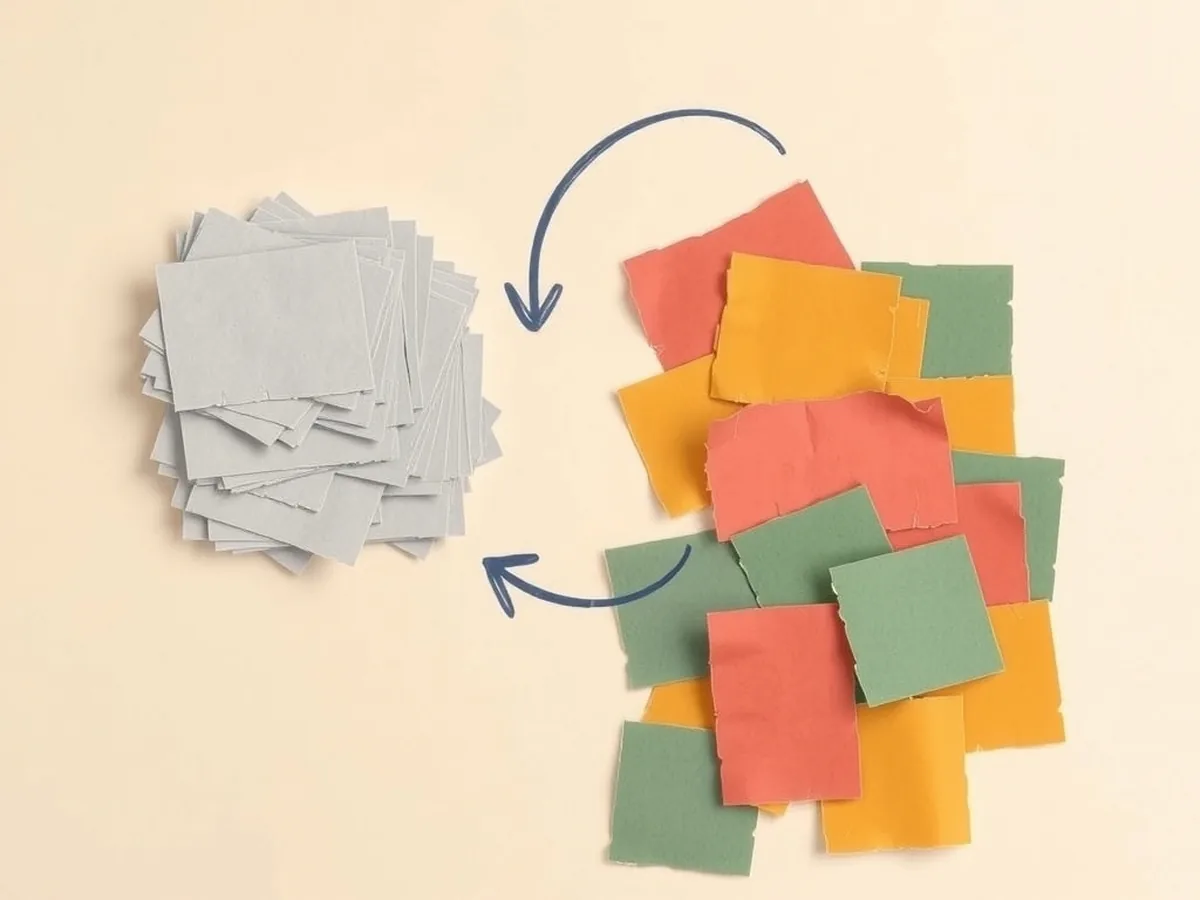
AI colorization is a prediction task, not a recovery task — the colors the AI produces were never extracted from the original image.
Here is what a grayscale image actually contains: a single number per pixel representing brightness, on a scale from black to white. That is it. The three channels of color information that existed in the original scene — or that would exist in a color photograph — were discarded at the moment the shutter clicked on a black-and-white camera, or faded away as an old color print degraded. There is no hidden color layer waiting to be revealed. The information is physically gone (Scienceline, 2021).
What the AI does instead is a process formalized by researchers Zhang, Isola, and Efros in their 2016 paper “Colorful Image Colorization” (arXiv 1603.08511). Their model works in a color space called Lab: it takes the L channel (lightness — exactly what a grayscale image contains) and uses a convolutional neural network to predict the a and b channels (the color information). The prediction is framed as a classification problem over a grid of quantized color options. The authors are direct about what this means: they describe the problem as “underconstrained” — many different color combinations are consistent with the same grayscale input.
A plain-language analogy for students: the AI is taking a multiple-choice test about the color of every single pixel — and the answer key was thrown out when the photo lost its color. The model picks based on what it has seen before, not based on what the photo originally showed.
Why AI-Colorized Photos Are a Guess, Not a Recovery
The colorization model always picks the statistically safest answer — and safe is not the same as right.
Because many completely different real-world colors produce the same gray tone (forest green, olive drab, burgundy, and slate blue can all become the same pixel value), the model faces genuine ambiguity on every pixel in a historical photograph. Its solution is to favor whatever color showed up most often in its training data for that type of region. The result: colors tend toward muted, averaged mid-tones (Hyperallergic). A bright red dress becomes a neutral brownish-red. An unusual military uniform gets assigned the closest common one. A flag with similar lightness values to the background might disappear into it.
The Zhang et al. researchers validated their model by testing whether human viewers could tell the colorized result from a real photo — the model fooled humans about 32% of the time (arXiv 1603.08511). That figure is often cited as a success metric. But it is worth reading carefully in a classroom: plausible enough to fool a person is not the same as historically accurate. A convincing forgery is still a forgery.
This is the key shift for ISTE 1.3.b — students need to evaluate not just whether a source looks credible, but whether the mechanism that produced it is capable of being accurate at all. AI colorization is not.
When the Colors Are Wrong — Two Real Examples
Real documented errors give students concrete footholds for the “can you trust colorized photos?” question — far more than a general warning ever will.
Example 1 — The “Vengeance” drill-press photo (1943): Alfred T. Palmer’s photograph of a worker at a Vultee Aircraft factory was colorized by the AI tool DeOldify. The results were documented in Hyperallergic: the red bandana the worker was wearing was rendered yellow; the navy-blue dress became gray; and the worker’s skin tone was lightened compared to original color reference photographs of similar subjects from the same era (Hyperallergic). These are not minor calibration errors. They alter the story the image tells.
Example 2 — Downtown Oklahoma City (1960s): A colorized AI image of an Oklahoma City street scene was documented in which the AI hallucinated glass curtain walls onto masonry buildings that never had them, and turned readable signage into nonsense characters (Meador.org). The resulting image circulated online as historical documentation. It shows a city that never existed.
A pattern historians have noted: Colorization of World War I archival footage has drawn sustained objection from professional historians. The core argument is not only that specific colors are wrong — it is that colorization collapses the visual distance of historical images in ways that distort interpretation, making the past feel “realistic” in a manner that the original record never claimed (The Conversation).
For a lesson that digs into these kinds of AI visual-source errors at the source-evaluation level, the AI Visual Source Evaluation lesson for grades 6-8 gives students a structured framework for auditing AI-generated and AI-processed images — including colorized photographs.
The Bias Problem: Whose Colors Does the AI Know Best?
The skin-tone errors in AI colorization are not random noise — they are a predictable output of how the training data was assembled.
When a colorization model learns from millions of color photographs, the distribution of those photographs reflects the distribution of who was photographed in color, in what contexts, and by whom. If the training set contains proportionally fewer images of dark-skinned people in historical photographic contexts, the model will have weaker predictions for those cases — and will default toward the statistically “safer” lighter tones it has seen more of. The lightened skin tones in the DeOldify analysis above are a repeatable, documented output of this dynamic, not an isolated glitch.
This is the entry point for AI4K12 Big Idea #5 (Societal Impact): the harms of this specific AI error fall unevenly. A student who searches for colorized photographs of enslaved people in the antebellum South, or of soldiers in colonial armies, or of civil rights marchers, is most likely to find images where the AI’s predictions are least reliable — and the misrepresentation has the largest historical stakes.
The confusion students feel when they see AI colorization and treat it as truth is not a failure of their judgment. It is a predictable outcome of a tool that looks authoritative and carries no visible warning. That is a literacy gap the tools are not going to fix on their own.
For a lesson that puts these questions in direct classroom conversation, the AI Bias and Fairness Lesson with 3 Case Studies for grades 6-8 walks students through the claim-evidence-reasoning framework on documented bias cases. It pairs well with the colorization examples above as a second day of inquiry.
Be the Colorizer — A No-Device Classroom Activity
This activity gives students the direct experience of making statistical color guesses with incomplete information — exactly what the AI does.
No devices required. Print one black-and-white reference image per student, or project a single image for the class. The activity runs in 25-30 minutes total.
What you need:
- One black-and-white photograph (choose an image students have not seen in color — a mid-century street scene, a market stall, a group portrait)
- Sticky notes or a simple paper ballot (one per student)
- A tally chart on the board
Minute-by-minute:
Minutes 1-3 — Setup and question framing. Distribute or project the image. Tell students: “You are about to do what an AI colorization model does. Your job is to predict the color of three specific things in this photograph. Write your predictions on your ballot. Do not discuss with neighbors yet.” Identify three target objects before class and mark them: for example, (1) the coat the person in the foreground is wearing, (2) the awning in the background, (3) the hat on the left side of the frame.
Minutes 4-8 — Individual prediction. Students write their color guesses silently. Remind them there is no right or wrong at this stage — just their best prediction.
Minutes 9-12 — Tally and reveal. Collect predictions by show of hands, or have students call them out. Tally on the board. The class will disagree — sometimes dramatically. A coat might generate votes for navy, brown, gray, black, dark green, and burgundy. That disagreement is the lesson.
Minutes 13-17 — The AI parallel. Now explain: “This is exactly what the AI just did when someone colorized this photograph. It voted — across millions of training examples, not just 28 students — and it picked the most common answer. That’s the color you see in the colorized version.” Ask: what information would you have needed to vote confidently? (The answer: you would have needed to see the actual photo, or read a description from someone who was there.)
Minutes 18-22 — Show a colorized version. If you can find or generate a colorized version of the same image, display it. Ask: does the AI’s color match yours? Does it match anyone’s? Point out any obvious errors (a flag, a uniform, a logo). Ask whether the colorized image looks convincing — and whether “looks convincing” is enough to use it as a historical source.
Minutes 23-27 — Debrief discussion. Project or read aloud:
- “The AI picked the most statistically common color for this type of object. Is that the same as picking the correct color? Why or why not?”
- “What would it mean to use this colorized image as evidence in a history paper?”
- “If a classmate shared the colorized version and said ‘this is what it really looked like,’ what would you say back to them?”
- “What kinds of objects in a historical photo do you think the AI would get right most of the time? What kinds would it get wrong most of the time?”
The accuracy question — a comparison table:
| What AI colorization usually gets plausible | What AI colorization often gets wrong |
|---|---|
| Sky (blue, gray, or white) | Specific military uniforms and insignia |
| Grass and foliage (green tones) | Flags and national symbols |
| Skin tones in well-represented demographics | Skin tones in underrepresented demographics |
| Common indoor backgrounds | Specific architectural materials (brick color, stone type) |
| Generic everyday clothing | Named brand colors, sports team colors, ceremonial dress |
| Ordinary domestic objects | Anything with a documented specific color that differs from its common type |
Colorization-tool vendors tend to advertise their results as usually plausible for ordinary family photographs — meaning the colors look reasonable to a viewer who doesn’t know the original. Reliability drops sharply for historical and archival images with unusual or specialized subjects. And “plausible” means “believable,” not “accurate.”
Standards Alignment and How to Teach Source Questioning
This topic sits at the intersection of three skill areas that your curriculum map almost certainly already names — media literacy, AI literacy, and historical thinking.
Standards crosswalk:
| Activity step | Standard | What it anchors |
|---|---|---|
| Prediction ballot + tally | AI4K12 Big Idea #3 (Learning) | Computers learn statistical patterns from data, not truth |
| Accuracy comparison discussion | ISTE 1.3.b | Evaluate accuracy, perspective, credibility, relevance |
| Bias and representation discussion | AI4K12 Big Idea #5 (Societal Impact) | Who benefits and who is harmed by AI system outputs |
| Applying to a research/source context | CCSS.ELA-LITERACY.W.7.8 | Gather information from multiple sources, assess credibility |
The classroom discussion that matters most is not “AI colorization is bad.” It is a more precise question: what would you need to know about a source’s production process before citing it as evidence? Colorization is one entry point into that question. Deepfakes are another (see how to teach deepfakes to middle school students). AI-generated primary source analysis is a third (see AI primary source analysis lesson plan for grade 7).
The “Be the Colorizer” activity above is a standalone lesson in its own right. For a printable, structured version that extends into source citation and evidence evaluation across multiple AI image types, the AI Visual Source Evaluation lesson and the AI History Lesson: Primary Sources, Bias and Fact-Checking are designed to build on this foundation across a full period or a two-day sequence.
If your students are ready for the broader source-evaluation conversation, the evaluate AI-generated sources worksheet for grades 6-8 and the free resource page are good next stops.
Nobody was handed the curriculum for this. That is not a reflection of how carefully you plan — it is a reflection of how fast the tools moved. The lesson above is yours to run Monday.
This post was drafted with AI assistance and human-finalized.
Quick questions
No. AI colorization predicts plausible colors from statistical patterns in training data — it does not recover the original colors, which are permanently gone from a grayscale image. Specific details like clothing colors, military uniforms, skin tones in underrepresented groups, flags, and architectural materials are frequently wrong, even when the overall image looks convincing.
An AI colorization model takes the lightness channel of a grayscale image and predicts the most statistically common colors for each region, based on patterns it learned from millions of color photographs. It treats colorization as a classification problem — essentially voting on the most likely color for each pixel. Because many different real-world colors produce the same gray tone, the model is always making an educated guess under uncertainty, not reading hidden color data from the original image.
Get the free AI-Proof Assignment Toolkit
10 ways to redesign any assignment so an AI chatbot structurally can't do it — plus a redesign worksheet, a 45-minute lesson, the “Spot AI Work” card, and parent templates. One email, all 5 pieces.
Prefer the full breakdown? See everything inside the toolkit →