How Do Robot Vacuums Work? A Middle-School AI Lesson
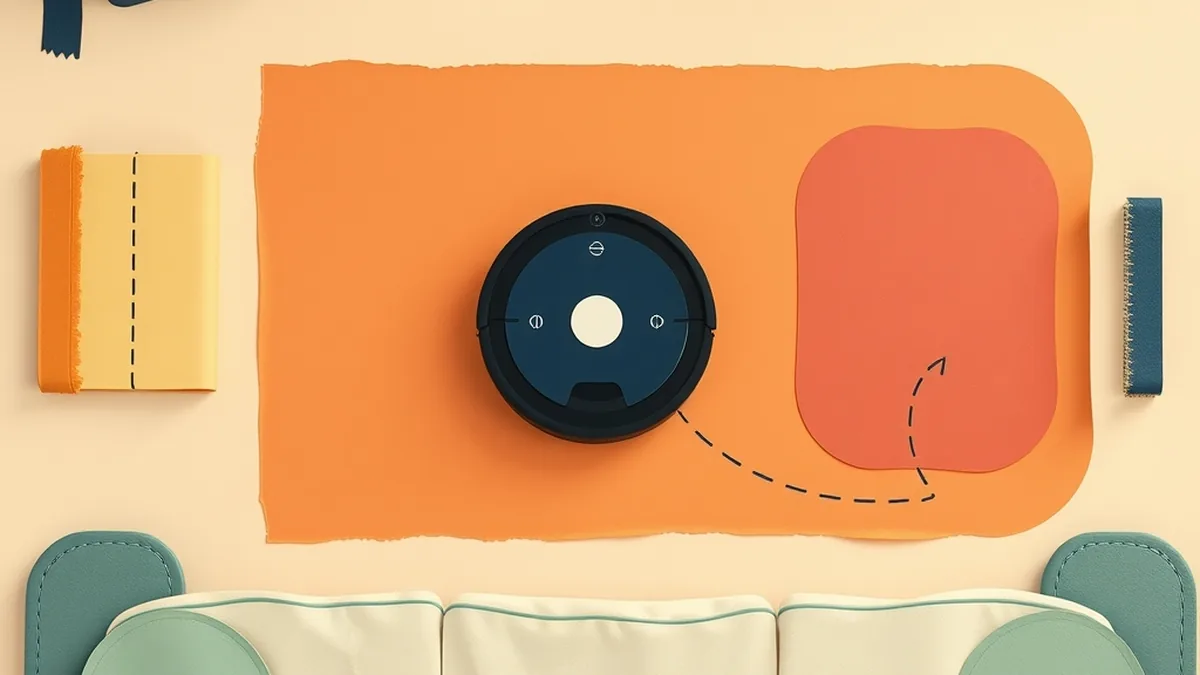
A student mentions — right in the middle of your transition to independent work — that the family robot vacuum spent twenty minutes running itself into the same corner before giving up. “Is it actually smart, though?” she asks. You pause. You know it does something with sensors. You know it makes a map. But the clean, teachable answer — the one that would turn that question into a five-minute literacy win — isn’t something you were ever handed. That’s not a gap in your knowledge; it’s a gap in the curriculum nobody prepared for any of us. This post gives you the fillable version: what robot vacuums actually do, why it matters for AI literacy in grades 6–8, and a no-device activity that fits in a single 45-minute period with zero tech required.
TL;DR — how do robot vacuums work, for a lesson plan context: Robot vacuums navigate using SLAM — Simultaneous Localization and Mapping. The robot fires a spinning LiDAR laser or reads camera frames, spots landmarks like doorways and corners, figures out where it sits on a growing map, refines that map on every pass, plots a path, and cleans. The first Roomba (2002) just bumped around randomly; mapping models arrived around 2015; the newest generation (2021 onward) layer a trained camera on top, letting the robot recognize cords and pet messes before running them over. It’s narrow AI: excellent at one job, clueless at everything outside it.
What is SLAM, and how does a robot vacuum map your home?

SLAM — Simultaneous Localization and Mapping — is a loop the robot runs continuously, every fraction of a second, for the entire cleaning cycle. The robot does two things at the same time: it builds a map of the room, and it figures out where it is on that map. Both tasks need each other, which is the interesting part.
Here is the loop in plain language:
- Sense. A spinning LiDAR unit fires laser pulses in a 360-degree arc and measures how long each pulse takes to bounce back — time-of-flight ranging. LiDAR robots (Roborock, Dreame, Ecovacs) do this in darkness with no problem. Camera-based robots (Roomba’s vSLAM line) read upward or forward frames instead.
- Spot landmarks. The robot’s software identifies stable environmental features — a straight wall, a doorframe edge, a sofa leg — and tags them as landmarks.
- Localize. Using the landmarks it has already stored, the robot estimates its own position: “I’m probably 1.2 meters from the east wall and 0.6 meters from the north wall.” This is a probabilistic best guess, not a GPS fix.
- Update the map. New sensor readings refine the map. When the robot closes a loop — returning to a spot it mapped earlier — it can compare the two readings and correct accumulated drift. This step is called loop closure.
- Plan a path. With a working map and a known position, the robot can calculate a systematic coverage path — back-and-forth rows — instead of wandering randomly.
- Clean. Repeat.
The chicken-and-egg problem this solves: to build an accurate map, you need to know where you are; to know where you are, you need an accurate map. SLAM handles both simultaneously, getting better with every circuit.
This is the perceptual core of AI4K12 Big Idea #1 (Perception) — AI systems sense the world through data inputs that stand in for the five senses. The map the robot builds is a model: a simplified, useful internal representation of an external environment. That connects directly to AI4K12 Big Idea #2 (Representation and Reasoning) — AI systems reason by operating on representations, not on the world itself.
Three generations: from bumping to mapping to seeing
The robot vacuum’s AI history reads like a three-act arc — and each act gives students a usable definition of what “smarter” actually means when we say it about a machine.
| Generation | ~Year | Main sensor | How it navigates | AI type |
|---|---|---|---|---|
| Bump-and-random | 2002 (first Roomba, iRobot) | Bump sensor + infrared wall detector | Spiral out, follow wall, turn randomly on bump — no map | Rule-based; not really AI |
| Mapping (SLAM) | ~2015 (Roomba 980 vSLAM; Roborock LiDAR models) | Upward camera OR spinning LiDAR laser | Builds a map, runs systematic back-and-forth rows | Algorithmic / narrow AI |
| Seeing (object recognition) | 2021+ (Roomba j7 PrecisionVision) | Front camera + trained neural network | Maps AND recognizes specific objects — cords, pet waste — before contacting them | Narrow machine learning (CNN trained on labeled images) |
A few numbers worth naming in class. iRobot shipped the first Roomba in September 2002 and sold roughly 50,000 units that first holiday season (IEEE Spectrum / Wikipedia). The Roomba 980 in 2015 was the first Roomba to run vSLAM — an upward-facing camera tracking ceiling features while computing a room grid (Wikipedia). The Roomba j7, announced September 9, 2021, added a forward-facing camera running a convolutional neural network that recognized specific objects: phone cords and pet waste specifically (Engadget). iRobot backed the j7 with what they called the “P.O.O.P.” promise — Pet Owner Official Promise — offering a free replacement robot if the j7 smeared pet waste during the first year of ownership (New Atlas). That product decision is itself a design lesson: the promise existed because the failure was real and public enough to require a named guarantee.
The table is the teaching tool. Students can read across each row and answer: what new capability did each generation add? What did it still not know how to do?
Is a robot vacuum really AI?
Yes — but only narrow AI, and that distinction is worth thirty seconds of board time before you move on.
A robot vacuum with SLAM and object recognition is genuinely doing machine learning inference in real time: the j7’s neural network was trained on labeled images of cords and pet waste, and it runs that model on every camera frame during cleaning. That is AI in a meaningful, technical sense.
What it cannot do: answer a question, recognize a different type of object it was never trained on, vacuum a house it has never seen without re-mapping it first, or adapt if you add a piece of furniture it hasn’t encountered. A j7 that correctly spots your dog’s mess still cannot tell you what the mess means, clean itself, or switch to emptying the dishwasher. It has no general understanding of the world.
This is the defining feature of narrow AI, which connects to AI4K12 Big Idea #5 (Societal Impact): these narrow-AI map-makers now live in tens of millions of homes — IDC reported approximately 24 million smart-vacuum shipments globally in 2025, up roughly 17% year over year (IDC). A technology that specific, that constrained, and that widespread is worth understanding from the inside.
For a deeper look at the narrow-vs-general-vs-super distinction, the Types of AI Deep-Dive lesson (narrow vs general vs super) gives grades 6–8 the full spectrum with worked examples and a student-facing sorting activity.
Where robot vacuums fail — and what that teaches about AI
Every failure mode below is a sensor limit or a training-data limit. That pattern is worth making explicit before the debrief.
- Dark and matte-black floors. Cliff sensors fire infrared pulses downward and measure the bounce-back. Matte-black surfaces absorb infrared light rather than reflecting it, so the sensor reads the floor as a drop-off and the robot stops — or backs away indefinitely (Dreame).
- Cords and thin flat objects. 2D LiDAR scans at a fixed height — typically 8–10 cm above the floor. A sock, a charging cable, or a flat shoe lies below the scan plane and is invisible to the LiDAR. Pre-2021 robots with no camera ran directly over these (TechAdvisor).
- The poopocalypse (pre-2021). Before the j7 and its trained object-recognition camera, robot vacuums had no way to distinguish pet waste from a dark-colored rug. Owners documented the results in photographs that became a recurring internet genre. The j7’s P.O.O.P. promise was a direct product response to documented, public failures.
- Mirrors and glass. Reflective and transparent surfaces are difficult for laser and camera sensors. A mirror can bounce a laser pulse off in an unexpected direction, and clear glass can let the pulse pass straight through — so the robot may read a reflection as open space, or fail to register a glass wall until it bumps into it.
- Moved furniture breaks the stored map. If you rearrange a room, the stored map no longer matches the physical space. The robot’s localization fails — it cannot reconcile the map with sensor readings — and it has to re-map from scratch. It has no understanding that you moved the sofa.
Teaching point: AI fails at the edges of its sensors and at the edges of its training data. The robot vacuum is not malfunctioning when it reverses from a black floor — it is doing exactly what its sensor logic tells it to do. The failure is in the data assumptions baked into the design.
A no-device lesson: Be the Robot Vacuum
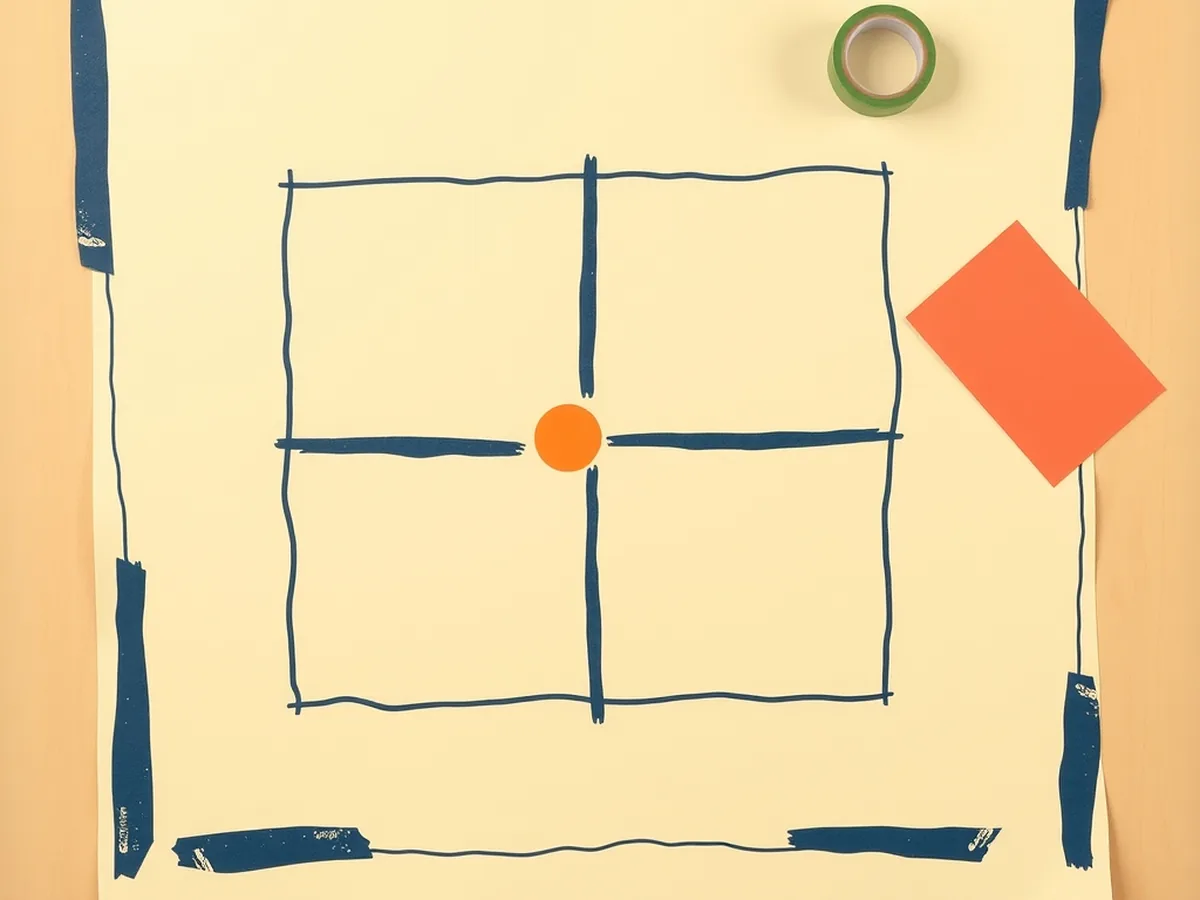
This 45-minute unplugged activity requires only tape, blindfolds (or sleep masks), and paper. No devices, no logins, no prep beyond taping a 4×4 grid on the floor.
A 7th-grade teacher could open with the student’s question from the lede — “Is it actually smart?” — and let that question drive the whole session.
Pacing plan:
Hook — 5 minutes. Project or draw the three-generation table from Section 2. Ask: what changed between each row? What did the machine need to learn to do? Take three or four responses. Land on: “Today you’re going to run the SLAM loop with your own body.”
Model the loop — 10 minutes. Walk through the five-step SLAM cycle from Section 1 on the board. Connect each step to a human analogy: sensing = reaching out your hand; localizing = guessing where you are in the room; updating the map = drawing what you just felt. Ask students to predict: what would a cord do to your map? What would a dark rug do to your sensors?
Unplugged activity — 20 minutes. Pairs. One student is the “robot”: blindfolded, standing inside the taped 4×4 grid, moving one square at a time and calling out what they feel at each grid edge (wall, open, obstacle). The partner is the “mapper”: drawing the grid on paper, recording what the robot reports at each position. After one full circuit, the robot runs the same path again — this time the mapper compares the two traversals: where did the map drift? Where did a second pass correct an earlier guess? Switch roles. Debrief question at the end of the activity: what would happen if you added a sock to one square? What would the robot do?
For a broader set of no-tech variations on this same unplugged structure — including card sorts and role-play formats — the Unplugged AI Activities bundle (10 no-tech lessons) gives grades 6–8 a full semester’s worth of device-free options. The robot-vacuum activity above slots naturally next to its sensor-and-map module.
Debrief — 10 minutes. Three discussion questions: Where did the map drift between your first and second traversal? What new “object” would most break your robot’s logic — and why? If your robot could only see one thing (a camera vs a laser), what would it miss? Exit ticket: one sentence explaining why a robot vacuum can navigate a dark room but still can’t move your laundry to the hamper.
Standards this activity hits, by anchor code:
- ISTE 1.5.c — students break a problem into component parts, and build models to evaluate and revise solutions (the grid-mapping is the model).
- ISTE 1.5.d — students understand how automation works and use algorithmic thinking to develop sequences of steps for tasks (the SLAM loop is an algorithm they embody).
- ISTE 1.3.d — students build knowledge by actively exploring real-world issues and pursuing active investigation (the sensor-failure questions tie directly to real design).
This activity shares DNA with the outdoor sensor-fusion inquiry in the self-driving car unplugged lesson — worth pairing if you run a multi-day mechanism unit. The contrast is useful: self-driving cars fuse GPS + LiDAR + cameras across open road; robot vacuums run SLAM in a bounded indoor space with a much smaller sensor stack. Same perceptual principles, different constraints.
For the full structured lesson set covering how AI systems perceive and reason — 16 lessons across the major AI concept areas — the How AI Works MEGA bundle gives you a scope-and-sequence that places robot navigation alongside machine learning, NLP, and computer vision in a coherent arc.
Standards crosswalk for this lesson
Every claim about standards alignment in this post uses exact anchor codes. The crosswalk below maps each lesson step to its anchor standard and describes what the standard covers in context.
| Lesson step | Standard | What it covers |
|---|---|---|
| Sensor demo / discuss how the vacuum “sees” the room | AI4K12 Big Idea #1 — Perception | AI systems perceive the world through data; robot sensors are the perceptual layer |
| Building the paper grid map (unplugged activity) | AI4K12 Big Idea #2 — Representation and Reasoning | The map is an internal model; the robot reasons by operating on that model, not the real room |
| Grid-mapping activity: break problem into steps, run the loop | ISTE 1.5.c | Students break a problem into component parts and build models to evaluate and revise solutions |
| Embodying the SLAM algorithm, step by step | ISTE 1.5.d | Students understand how automation works and use algorithmic thinking to develop sequences |
| Investigating real sensor failure modes (black floors, cords, glass) | ISTE 1.3.d | Students build knowledge by actively exploring real-world issues and pursuing active investigation |
| Class discussion / debrief | CCSS.ELA-LITERACY.SL.7.1 | Students engage effectively in collaborative discussions with diverse partners on grade-7 topics |
| Written exit ticket: one sentence explaining the narrow-AI limit | CCSS.ELA-LITERACY.W.7.8 | Students gather information from sources, assess accuracy, and draw evidence to support conclusions |
| Societal-impact closing: 24M units shipped, what does narrow AI mean at scale? | AI4K12 Big Idea #5 — Societal Impact | AI technologies affect society; students consider who benefits, who is affected, and what fails |
Standards source: ISTE Student Standards. ISTE is a registered trademark of the International Society for Technology in Education. These resources are not affiliated with or endorsed by ISTE.
If your class is working through a sensor-and-perception arc, this lesson pairs naturally with the facial recognition lesson plan for middle school — both lessons live in the AI4K12 Big Idea #1 column and contrast camera-based recognition tasks with different real-world constraints.
Ready-to-use resources for this unit
The Be the Robot Vacuum unplugged activity above is free to run with the pacing plan here. For a more scaffolded version — with a student recording sheet, the sensor-failure discussion cards, and an exit-ticket rubric built in — the Unplugged AI Activities bundle includes a no-tech lesson on embodied AI navigation that adapts directly to this context.
For the broader mechanism series — how AI perceives, represents, learns, and acts across 16 structured lessons — the How AI Works MEGA bundle gives grades 6–12 a full scope and sequence with teacher notes, student pages, and standards documentation. Maya, a former teacher, designed the sequence specifically for teachers who were handed the AI literacy mandate without the supporting materials — which is most of us, at this point.
Grab the free resources at /free if you want to test-drive before committing to the full unit — there’s no email gate on the PDF sampler.
This post was drafted with AI assistance and human-finalized.
Quick questions
They use SLAM — Simultaneous Localization and Mapping. Sensors (a spinning LiDAR laser or a camera) measure distances to walls and furniture, the robot builds a map, then constantly re-checks its position on that map while planning an efficient cleaning path.
Yes, but only narrow AI. It is very good at one job — mapping a room and cleaning it — and newer models use a trained camera to recognize cords or pet messes. It cannot reason, hold a conversation, or do anything outside that single task.
Common failure modes include dark floors that confuse infrared cliff sensors, cords and socks that tangle the brushes, mirrors and glass that fool the sensors, and rearranged furniture that no longer matches the stored map.
Get the free AI-Proof Assignment Toolkit
10 ways to redesign any assignment so an AI chatbot structurally can't do it — plus a redesign worksheet, a 45-minute lesson, the “Spot AI Work” card, and parent templates. One email, all 5 pieces.
Prefer the full breakdown? See everything inside the toolkit →