How Do Face Filters Work? A Middle School AR Lesson
A student tilts their phone just slightly — dog ears snap into place, track the movement, swivel left when they do. The whole class laughs. The teacher thinks: I should do something with this. Then the bell rings and the moment is gone. Nobody taught either of them what just happened. That is not a distraction problem. That is a literacy gap. Nobody handed teachers a curriculum for this, and nobody handed students a vocabulary for what the AI in their pocket is actually doing.
This post gives you both.
Face filters run on a three-step pipeline: the camera detects a face in the frame, a landmark model maps roughly 468 points across your face in 3D space, and the app tracks that mesh across video frames in real time to anchor AR graphics to it. The whole process runs locally on the phone — no database, no identity check. That matters, because face filters are not facial recognition. They find where your face features are. They do not know who you are. Below, we unpack each step, explain why some filters glitch and others don’t, cover the privacy and fairness questions worth raising in class, and walk through a 30-minute unplugged lesson that works with zero devices.
How do face filters work? The three-step pipeline
Face filters run on the same fundamental pipeline whether you are on Snapchat, Instagram, or TikTok.
Step 1 — Face detection. The camera feed is analyzed frame by frame. A classifier model scans each frame for the pattern “this region contains a face” — it outputs a bounding box around the face. It does not know whose face. It knows only: face present, here are the coordinates.
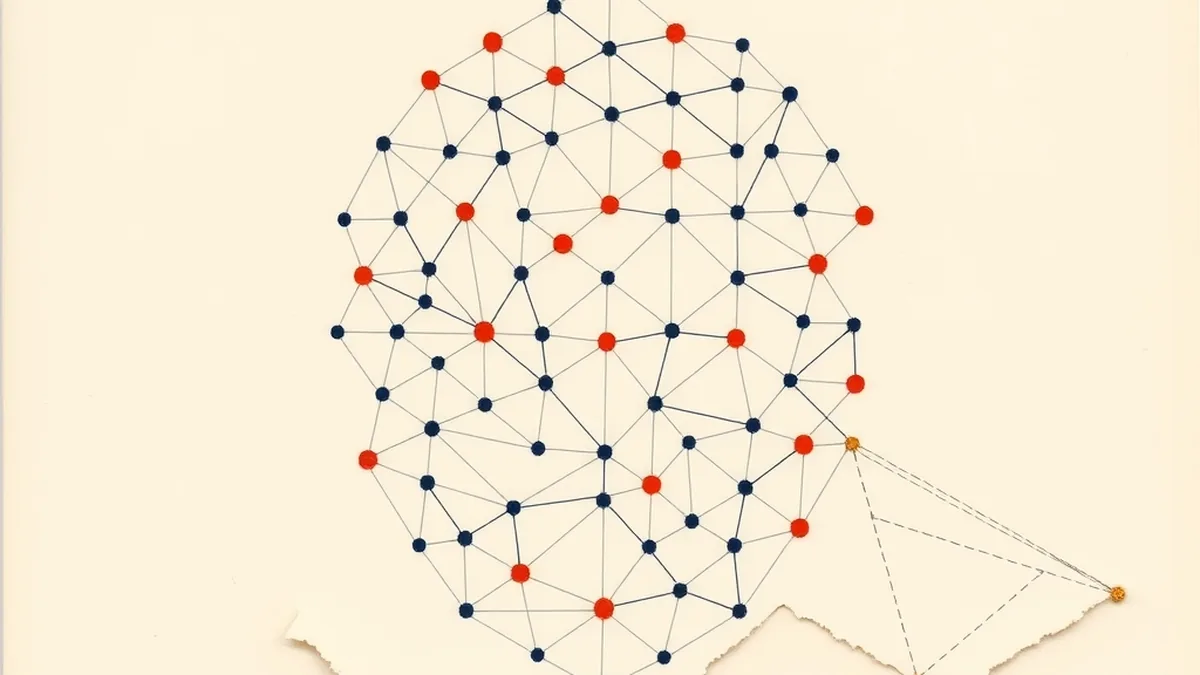
Step 2 — Landmark mapping. Once a face is located, a second model maps a dense mesh of points across it. Google’s MediaPipe Face Mesh estimates 468 3D landmarks across the face — 478 when iris tracking is included. Each landmark is a coordinate: where is the left corner of the mouth in this frame? Where is the tip of the nose? The result is a 3D skeleton of your face geometry, not a record of your identity.
Step 3 — Real-time tracking + AR anchor. The landmark mesh updates every frame. The filter app anchors graphics — dog ears, sunglasses, color effects — to specific landmark coordinates. When the ear graphic tracks your head, it is following landmarks #127 and #356, not “you.” Snap’s Lens Studio Face Mesh documentation shows exactly how developers pin assets to mesh regions when building lenses.
The pipeline runs in milliseconds, entirely on the device. That is why filters work without Wi-Fi. And it is why the system feels like magic when you first see it — and stops feeling like magic once you understand the steps.
Face detection vs. facial recognition: the difference students miss

This is the single most important distinction in the unit, and most adults cannot make it cleanly.
Face detection (and its close partner, landmark tracking) locates WHERE features are. The output is geometric coordinates. It does not know who you are.
Facial recognition identifies WHO you are by converting facial geometry into a biometric template — a list of measurements — and comparing that template against a stored database to find a match. The output is an identity claim.
Filters use the first. Law-enforcement tools, airport boarding systems, and the face scan that opens your phone typically use the second. Research from saiwa.ai on face detection vs. face recognition breaks down the architectural difference cleanly if you want a technical primer for yourself before class.
A useful classroom analogy: face detection is like a sensor that lights up when any person walks through a door. Facial recognition is like a bouncer who checks your ID against a guest list. Filters are the sensor. They do not have a guest list.
If you want to go deeper on the identity-matching side — how faceprints are built, where the bias lives in recognition systems, and the wrongful-arrest cases that followed — see our post on facial recognition lesson plans for middle school. The two posts pair well as a two-day sequence.
Why Bold Glamour doesn’t glitch: two eras of filter AI
Here is something students notice but cannot explain: most face filters glitch when a hand passes in front of the face — the dog ear slides, the AR glasses float loose. But TikTok’s Bold Glamour filter (2023) does not glitch. Cover your face mid-filter and the effect holds almost perfectly.
That is not a bug fix. It is a different category of technology.
Traditional mesh-overlay filters work by anchoring graphics to landmark coordinates. When a hand blocks the landmarks, the filter loses its anchor points and the graphic drifts. The system fails visibly, which is actually useful for media literacy — the failure reveals the mechanism.
Bold Glamour uses a different approach: instead of overlaying graphics on landmark anchors, it applies a generative pixel remap to the entire image. Researchers who analyzed the filter describe it as closer to a real-time GAN-style transformation — the AI rewrites the pixels in every frame to synthesize a “beautified” version of the face, rather than placing an overlay on top. PsyPost researchers decoded the Bold Glamour filter mechanism and found this architectural explanation accounts for the glitch-resistance.
That non-glitch quality is also what made Bold Glamour controversial. As NPR covered in March 2023, the filter’s invisible quality made it harder for viewers to tell whether what they were seeing was filtered — unlike the obviously janky AR of earlier lenses, the GAN-remap output looks disturbingly photorealistic.
The two-era framing makes for a clean classroom discussion prompt: mesh-overlay filters show you the seams (good for literacy), pixel-remap filters hide them (better for beauty pressure, worse for transparency).
The privacy and fairness questions worth asking
Here is the honest framing: the issue with face filters is not that students are vain. The issue is that neither students nor teachers were given vocabulary for what the AI is doing — and that literacy gap is what makes it hard to have real conversations about the data questions underneath. Blame is the wrong direction. Curiosity is the right one.
Three questions worth putting on the table:
1. Does the filter save your face data?
Not all filters are architecturally identical. While on-device landmark tracking does not store identity, some platforms have collected face geometry data in ways that cross legal lines. Snap reached a $35M Illinois BIPA settlement over collection of face geometry data, with the class including minors. Illinois’ Biometric Information Privacy Act requires informed consent before collecting biometric identifiers — which includes the face measurements a landmark model produces. The settlement is a useful primary source: it shows students the gap between what a company says a filter does and what the data pipeline actually does.
2. Are beauty filters allowed for all ages?
TikTok restricted appearance-altering effects for users under 18 citing mental health and body image concerns. The restriction followed substantial research linking heavy beauty-filter use to increased body dissatisfaction. This is a design decision worth discussing: who made it, what data informed it, and whether it is the right response.
3. Do beauty filters treat everyone’s face the same?
Peer-reviewed research published in Social Media + Society found that AR beauty filters skew toward lighter skin tones and Western beauty standards and misclassify more for Black women. The bias lives in the training data: if the landmark models and generative remaps were trained primarily on lighter-skinned faces, their outputs reflect that skew. This connects directly to AI4K12 Big Idea #1 (Perception) — the sensors and models that perceive the world carry the biases of whoever built the dataset.
Discussion question for class: if a filter was trained on faces that look mostly like mine, what does it do to faces that don’t?
A 30-minute lesson: “Be the Face Mesh” (unplugged)

A 7th-grade teacher could run this in a single 30-minute block with no devices, no software, and no budget beyond printed face outlines and sticky dots.
What you need: One printed face-outline per student (a simple line-art face, downloadable for free from any clip-art source), a sheet of small circular sticker dots (or just a pen), and the three-step pipeline written on the board.
How the lesson flows:
When you introduce the concept, start with Step 1. Ask students: what would a computer see if it had to locate a face in a photograph? They typically say “eyes” or “the oval shape.” That intuition is close to correct — face detectors look for patterns of light and shadow that reliably co-occur in faces.
Move to Step 2. Students place sticky-dot “landmarks” on their printed face at specific locations: corners of the eyes, endpoints of the eyebrows, corners of the mouth, tip of the nose, jawline points. Aim for 20-30 dots. When done, they compare with a neighbor and discuss: why do certain points matter more for tracking movement?
Move to Step 3. Students shift their landmarks by simulating an expression change — draw a second version of the face with a smile and re-map the dots. The question: which landmarks moved, which stayed fixed? A typical class finishes this in about 25 minutes; faster groups can extend with the bonus prompt: “If you covered your nose with your hand, which landmarks would a filter lose?”
Close with the detection/recognition firewall: students now have a face mesh. Does that mesh tell you who this person is? (No — it tells you where the features are.) What would you need to add to make it a recognition system? (A database + a match algorithm.)
Standards crosswalk:
| Activity step | Standard | Connection |
|---|---|---|
| Camera detects the face (Step 1 intro) | AI4K12 Big Idea #1 (Perception) | Machines perceive the world through sensors; the camera converts light into data the model can read |
| Placing landmarks on the face outline (Step 2) | AI4K12 Big Idea #2 (Representation + Reasoning) | The face is represented as a set of coordinate data; the mesh is the AI’s working model of facial geometry |
| BIPA + data consent discussion | ISTE 1.2.d (Digital Citizen) | Students manage personal data to maintain digital privacy and security |
| Privacy + fairness discussion questions | CCSS.ELA-LITERACY.SL.7.1 | Students engage in collaborative discussions with diverse partners on grade-7 topics |
The lesson works as a stand-alone bell ringer or as a launch into a longer unit. If you want the full sequence — including the landmark-tracking simulation as a printable, the detection/recognition comparison cards, and the fairness discussion protocol — it is part of the How AI Works MEGA bundle (16 lessons, grades 6-12), which covers perception, learning, and societal impact across the five AI4K12 Big Ideas.
Fill the gap — you do not have to build this from scratch
The literacy gap is real. Students interact with face-filter AI dozens of times a day and have no vocabulary for what it is doing. Neither do most adults — this is not common knowledge, it is just not commonly taught. That is not anyone’s fault. The curriculum for this topic didn’t exist in most districts until recently, and “figure it out yourself” is not a professional development plan.
The three-step pipeline, the detection/recognition firewall, the Bold Glamour two-era framing, the BIPA question — these are all teachable in a single period. The pieces are here.
If you want them pre-built and ready to open Monday: the How AI Works MEGA bundle covers the perception-and-sensing layer across 16 lessons, and the AI Card Sort and Activity MEGA Bundle has card sorts and games that work for the detection/recognition distinction specifically. Both are printable, no account required, open the PDF and teach.
Or start with the free Starter Pack at /free — a no-cost entry point before committing to the full bundles.
The gap is fillable. You didn’t create it, and you don’t have to fill it alone.
This post was drafted with AI assistance and human-finalized.
Quick questions
No. Face filters use face detection and landmark tracking, which locate WHERE your facial features are and map them as coordinate data. They do not run facial recognition, which is the separate task of matching your face against a database to identify WHO you are.
They run a three-step pipeline: the camera detects a face in the frame, a landmark model maps roughly 468 points across the face in 3D, and the app tracks that mesh frame by frame to anchor AR graphics like ears or glasses to specific points. It all runs on the device.
Because it uses a different method. Older filters anchor graphics to landmark points, so they drift when a hand blocks the face. Bold Glamour applies a generative pixel remap to the whole image every frame, so it holds even when landmarks are hidden.
Get the free AI-Proof Assignment Toolkit
10 ways to redesign any assignment so an AI chatbot structurally can't do it — plus a redesign worksheet, a 45-minute lesson, the “Spot AI Work” card, and parent templates. One email, all 5 pieces.
Prefer the full breakdown? See everything inside the toolkit →