How Recommendation Algorithms Work: A Middle School Activity

PD week is winding down. There is a fresh ISTE poster on the wall, a new scope-and-sequence in the shared drive, and somewhere on page four someone added a bullet: “algorithms and data — students understand how platforms curate their experience.” Nobody handed you a lesson plan for that bullet. Nobody handed most teachers one. Students can rattle off the name of every app that seems to know them — YouTube, Spotify, Netflix — but if you ask them how those platforms actually guess what they want next, you get a shrug. And if you ask the adults in the room, the honest answer is often the same. That’s the literacy gap. This post covers the plain mechanism and a classroom activity that needs zero devices.
TL;DR. A recommendation algorithm decides what YouTube, Netflix, or Spotify shows you next. Most use collaborative filtering: the system doesn’t understand the video or song — it finds people whose past choices look like yours, then suggests what they liked that you haven’t seen. It builds a giant grid of users and items, spots patterns, and predicts your rating. It’s powerful but blind: it can’t handle brand-new items (the cold-start problem), over-recommends what’s already popular, and only knows “people like you,” not you. Students can act out the whole mechanism in one class period, no devices.
What is a recommendation algorithm?
A recommendation algorithm is a system that predicts which item a specific user will most want to see next — and then surfaces it. It is not a search engine. Search responds to a query you typed. Recommendation decides before you ask.
Most major platforms blend two distinct families:
- Collaborative filtering — “people like you.” The system finds other users whose ratings or watch history match yours closely, then recommends what they liked that you haven’t touched yet. It never examines what the video or song actually is. It only looks at the pattern of human choices around it.
- Content-based filtering — “more like what you watched.” The system analyzes features of items you already liked (genre, length, topic tags, audio tempo) and recommends items with similar features. A podcast app suggesting shows with a similar topic and episode format is running content-based logic.
Neither family is the same as the feed-ranking mechanism covered in the companion post Social Media Algorithm Lesson Plan for Middle School, which walks through the Signal → Score → Serve ranking pipeline that decides the order of posts in a social feed. Feed ranking is about sequencing content that already exists in your network. Recommendation is about discovering new content from outside it. The distinction matters pedagogically: students who conflate them can’t critique either clearly.
Real platforms blend both families. Spotify’s Discover Weekly playlist layers collaborative filtering (what users with your listening pattern also loved) on top of audio analysis (tempo, key, energy of each track). The result is personalized playlists that feel uncannily accurate — not because Spotify “knows you,” but because enough people with your taste profile have already clicked through the same path.
How does YouTube recommend videos? The four-step mechanism
YouTube’s recommendation engine decides roughly 70% of total watch time on the platform, by the company’s own widely cited statements. The mechanism breaks into four steps — and none of them involve the system watching the video.
Step 1 — Collect signals. Every user action registers: watch duration, skip, like, dislike, share, search, re-watch. A full watch of a 12-minute video is a stronger positive signal than a 30-second bounce. These signals become implicit ratings even when a user never clicks a star.
Step 2 — Build a user-item matrix. Every user gets a row. Every video gets a column. Each cell contains a rating (explicit, like a thumb, or implicit, calculated from watch time). In practice this matrix has hundreds of millions of rows and columns, and most cells are empty — a user has seen only a tiny fraction of all available videos.
Step 3 — Find similar users or similar items. The engine identifies the nearest-neighbor users: other accounts whose filled cells look most like yours. Which videos did they watch all the way through that you haven’t seen yet? Those move to the top of your recommendation queue.
Step 4 — Predict a score and rank. The system predicts what rating you would give each candidate video, then ranks candidates by predicted score and serves the top results to your home screen or sidebar.
The critical pedagogical point: the system matched patterns, not meaning. It did not understand the video content. It found humans who behaved like you and borrowed their preferences. Amazon’s item-to-item collaborative filtering method — published by Linden, Smith, and York in IEEE Internet Computing in 2003 and named a “test of time” paper by the field — established this pattern-matching approach as the foundation of modern recommendation at scale. Source: Amazon Science.
Collaborative filtering explained for students
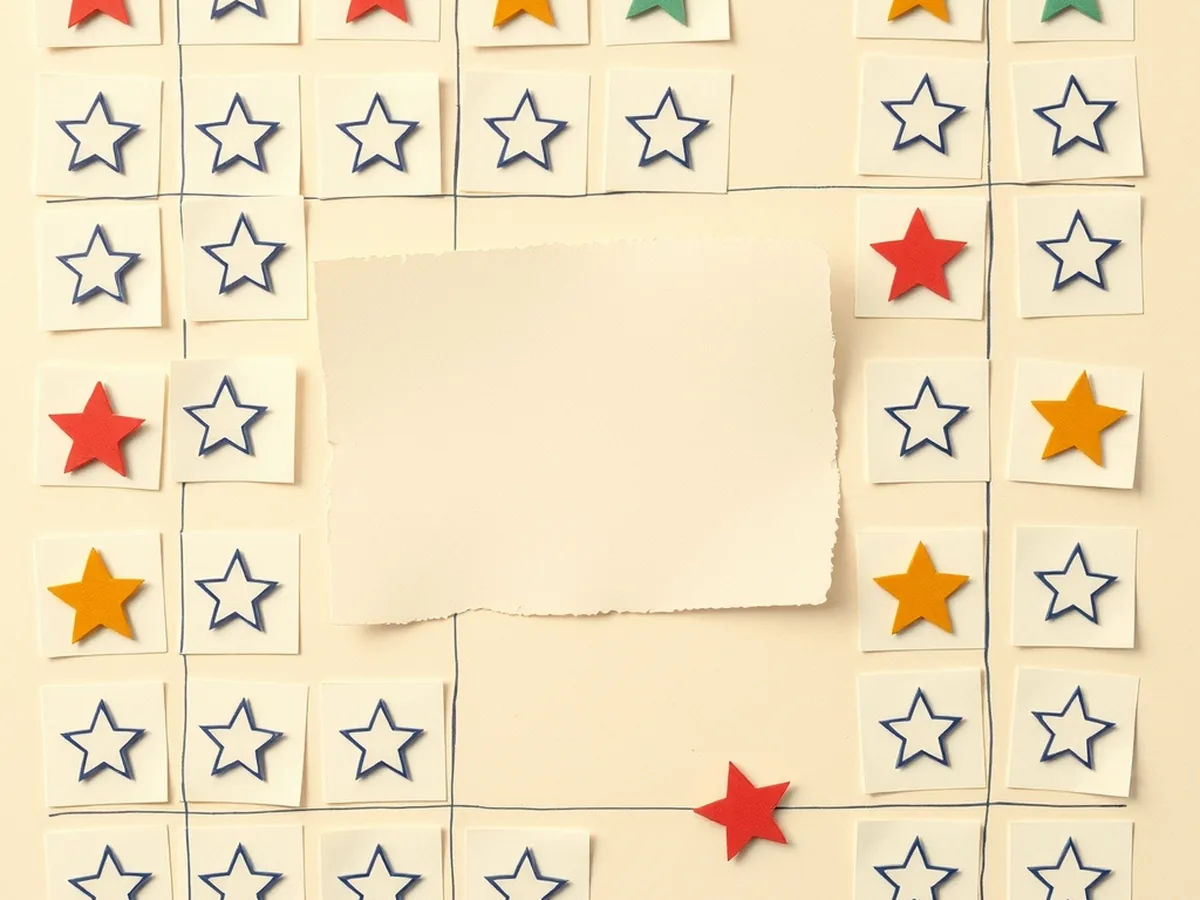
The easiest way to show students how the engine works is a worked example with a small matrix they can read in 60 seconds.
Here is a four-student, four-title ratings grid. Ratings run 1–5. A ? marks the cell we want the engine to predict.
| Student | Dune: Part Two | Spider-Man | Encanto | The Mitchells |
|---|---|---|---|---|
| Ava | 5 | 4 | 2 | 2 |
| Ben | 4 | 5 | 2 | ? |
| Cara | 2 | 1 | 5 | 5 |
| Dev | 3 | 2 | 5 | 4 |
The engine needs to predict Ben’s rating for The Mitchells.
Step 1 — Find Ben’s nearest neighbor. Compare Ben’s ratings row to every other row.
- Ben vs. Ava: Dune (5 vs 4 — close), Spider-Man (5 vs 4 — close), Encanto (2 vs 2 — exact). Very similar.
- Ben vs. Cara: Dune (5 vs 2 — far), Spider-Man (5 vs 1 — very far). Very different.
- Ben vs. Dev: Dune (5 vs 3 — some distance), Spider-Man (5 vs 2 — far). Different.
Ava is Ben’s nearest neighbor.
Step 2 — Borrow the neighbor’s rating. Ava rated The Mitchells a 2. The engine predicts Ben would also rate it a 2.
Step 3 — Decide whether to surface it. A predicted score of 2 is low. The engine moves on to its next candidate and does not recommend The Mitchells to Ben.
Walk through this with students using a projected whiteboard version — blank out a different cell, pick a different student, and ask the class to run steps 1 through 3 aloud. They realize within two rounds that the engine never asked what The Mitchells is about. It only measured the behavior of people around Ben. That realization is the conceptual turning point for everything that follows.
The Netflix Prize (2006–2009) made this mechanism famous: Netflix offered $1 million to whoever could improve the accuracy of its collaborative filtering engine by 10% or more. About 480 million ratings were released publicly, and a 100-plus-model ensemble called “BellKor’s Pragmatic Chaos” eventually won — though the winning solution was famously never fully deployed because streaming had replaced DVDs by the time the prize concluded. Source: Harvard Business School Digital Initiative.
Where recommendation systems get it wrong
Collaborative filtering is genuinely powerful. It is also genuinely blind in three specific ways that are worth naming with students — and modeling the critical thinking honestly means acknowledging where the evidence is still contested. This is where the “not your fault” part lands: brand-new creators and brand-new students both get caught in the same algorithmic blind spot, and no one was ever taught to see it.
The cold-start problem. When a new user joins with zero watch history, the engine has no ratings row to compare. When a new video is uploaded with zero view data, no one has watched it, so it has no neighbors either. The system falls back to popularity ranking until enough signals accumulate. This is the cold-start problem. Wikipedia — Cold start (recommender systems).
Popularity bias. The engine recommends what already has ratings — which means already-popular items keep accumulating views while newer or less-watched items stay invisible. By widely cited industry figures, roughly 75–80% of Netflix viewing is driven by recommendations, and the same dynamic applies on most platforms. Source: New America / Open Technology Institute. When the feedback loop runs long enough, the rich get richer and obscure content stays obscure regardless of quality.
Filter bubbles — a genuinely complicated picture. The intuitive concern is that recommendation systems radicalize users by feeding them ever-more-extreme content. The evidence is messier than the narrative. A peer-reviewed study published in PNAS in 2024, drawing on approximately 9,000 participants across four experiments, found no detectable short-term polarizing effect from partisan YouTube recommendations. Source: PNAS 2024.
That does not mean recommendation is harmless. A genuinely documented harm is different in kind: the YouTube Kids inappropriate-content incident, catalogued in the AI Incident Database, showed how recommendation logic surfaced content that passed automated filters but was disturbing to children — not because the algorithm was politically biased, but because it optimizes for engagement signals that adults can fake and children cannot contextualize. Source: AI Incident Database, Incident #1.
The honest classroom framing: “it’s complicated” is itself the literacy lesson. A student who can distinguish contested claims about radicalization from documented harms around children’s content is doing stronger critical thinking than a student who repeats either extreme.
A no-device recommendation algorithm activity for middle school

This is the core section carrying the classroom keyword: a recommendation algorithm activity middle school teachers can run without a single device.
The activity is called “Be the Recommendation Engine.” It runs in a standard 45-minute period, needs no devices, and no prep beyond printing one half-sheet per student.
Materials
- One ratings card per student: a simple grid, 5 songs or shows in rows, 1–5 stars in columns. Pick titles students in grades 6–8 actually know. Leave one cell blank on every card — this is the prediction target.
- A blank comparison card for the pair-up phase.
- No projector required, though a whiteboard version of the user-item matrix from the section above helps anchor the debrief.
Minute-by-minute
0–5 min — Setup and framing. Distribute ratings cards. Frame the task as “we’re going to build a tiny recommendation engine by hand.” Pose the question: “How does YouTube know what to put in your sidebar?”
5–15 min — Fill the ratings card. Students rate 5 titles 1–5 using their actual preferences. The blank cell is pre-designated — do not let students fill it in. This generates authentic data and surfaces the fact that students have genuinely varied tastes even when they use the same apps.
15–30 min — Find your nearest neighbor. Students stand up, pair with another student, and compare ratings cards. They compute “similarity” informally: count the cells where ratings are close (within 1 point) versus far apart (3 or more points). The student with the most close-matching cells is their nearest neighbor. Pairs sit together, and each uses the neighbor’s rating to predict their own blank cell.
30–40 min — Predict and fail rounds. Two structured rounds. In round one, students announce their prediction and reveal the “true” rating they would have given. Discuss misses. In round two, introduce a new student card — a blank ratings card from an invented student who just transferred in. Ask: what do you recommend? Students realize there is no data to compare. This is the cold-start problem, named and felt rather than defined.
40–45 min — Debrief. Three debrief questions:
- “What would happen if most of us rated the same five shows a 5?” (Popularity bias — the engine only recommends those five.)
- “Does the engine know why you liked something?” (No — it matches patterns, not meaning.)
- “What’s missing from the ratings card that matters to you?” (Mood, who you’re watching with, what you were doing that day — context the ratings grid can’t capture.)
A typical class finishes the full arc in 40–45 minutes. The ratings-card print run is the only consumable. For a structured, standards-documented version of this activity with the printed materials and facilitation guide included, the Unplugged AI Activities: 10 No-Tech Lessons set includes role-play and card-sort formats across the full mechanism series.
Standards this lesson hits
The activity is not a standalone curiosity — it maps directly to the standards your admin is likely asking about. A crosswalk by activity phase:
| Activity phase | Standard | What it covers |
|---|---|---|
| Ratings-card fill + matrix build | AI4K12 Big Idea #3 (Learning) | Computers learn patterns from data; students generate data and watch it become a model |
| Nearest-neighbor pairing | ISTE 1.5.d | Understand and use algorithmic thinking — students execute the algorithm manually |
| Predict-and-fail round | ISTE 1.3.d | Build knowledge by actively exploring real-world issues |
| Cold-start and privacy discussion | ISTE 1.2.d | Manage personal data; what the ratings grid reveals and who holds it |
| Filter-bubble debrief | AI4K12 Big Idea #5 (Societal Impact) | What happens when recommendation systems shape information access at scale |
| Debrief discussion | CCSS.ELA-LITERACY.SL.7.1 | Collaborative discussion; students pose and respond to questions, build on others’ ideas |
| PNAS / AI Incident Database comparison | CCSS.ELA-LITERACY.W.7.8 | Gather information from multiple sources, assess credibility of each |
Standards source: ISTE Student Standards. ISTE is a registered trademark of the International Society for Technology in Education. These resources are not affiliated with or endorsed by ISTE.
When a teacher fills in a scope-and-sequence bullet that reads “algorithms and data” — this is a lesson that fills it with documented standard anchors, not just an interesting activity.
What to teach next (and where to find the materials)
Nobody handed you a ready-made AI literacy curriculum, and that’s the same story in most buildings right now — it’s a gap in the system, not a gap in you. The lesson above can stand alone. It also connects outward: the mechanism for how generative AI writes text (next-word prediction, not understanding) pairs well with this recommendation unit because both disrupt the same student assumption — that the machine comprehends. The How AI Works MEGA bundle — 16 Machine Learning and AI Concept Lessons runs the full arc from recommendation to generation to bias, with facilitation guides for each mechanism.
For the no-device version of the broader series — the card sorts, role-plays, and physical simulations that work in device-restricted settings or for mixed-readiness classes — the Unplugged AI Activities set has the printed materials ready to go. If you want to dig into the narrow vs. general vs. super AI classification that gives students a vocabulary for discussing recommendation engines in the context of the broader AI landscape, the Types of AI Deep-Dive Lesson is the right next unit.
Browse the full shop for grade-banded, standards-documented resources — or start with the free resources if you want to test the voice before you commit.
This post was drafted with AI assistance and human-finalized.
Quick questions
Most recommendation systems use collaborative filtering. They build a grid of users and the items each person rated or watched, find other users whose choices are most similar to yours, and predict that you will like what those similar users liked. The system never understands the content itself — it works purely from patterns in past behavior.
Collaborative filtering means 'people like you also liked this.' Instead of analyzing a movie's plot, the algorithm finds users whose ratings match yours and recommends items they enjoyed that you have not tried yet. It is the core method behind Amazon's 'customers who bought this' and Spotify's Discover Weekly.
Use a paper user-item matrix. Have students fill in ratings for a few movies or songs, then physically find the classmate whose ratings most closely match theirs and predict a recommendation. A 45-minute no-device card sort lets students act as the recommendation engine and see both its power and its blind spots.
Get the free AI-Proof Assignment Toolkit
10 ways to redesign any assignment so an AI chatbot structurally can't do it — plus a redesign worksheet, a 45-minute lesson, the “Spot AI Work” card, and parent templates. One email, all 5 pieces.
Prefer the full breakdown? See everything inside the toolkit →