How Robot Vacuums Use AI: A Middle School Lesson
A student drops their phone on the floor, watches the family robot vacuum bump into it, reverse, nudge it again, and asks the question every AI literacy class is waiting for: “Is that thing actually smart, or is it just lost?”
That moment — a student watching an AI system struggle with a phone cord — is the entry point. And here is what most curriculum materials skip entirely: a robot vacuum is not a remote-controlled car. It builds a map of your home in real time, plans its path the way a field gets mowed, and runs a neural network to recognize objects on the floor. If you have been handed the job of teaching AI without being handed the tools to do it, a robot vacuum is one of the most accessible and honest AI systems in any student’s home.
TL;DR: A robot vacuum uses AI in three layers. First it builds a map of your home using SLAM (Simultaneous Localization and Mapping) — solving the puzzle of needing a map to navigate but needing to navigate to build the map. Then it plans a systematic path (back-and-forth rows, like mowing a lawn) instead of bouncing randomly. Finally, a camera-trained neural network recognizes objects on the floor — cords, pet waste, shoes — and steers around them. The AI breaks down when objects are dark, flat, reflective, or shaped unlike anything in its training data.
How does a robot vacuum use AI?
A robot vacuum uses AI for three jobs that happen at the same time: it maps the room, plans a cleaning path, and recognizes objects in its way. Older bump-and-turn models had none of this — they ricocheted off walls at random and hoped to cover the floor by luck. A modern robot vacuum is closer to a tiny self-navigating explorer than a remote-control car.
- Map — build a floor plan in real time using SLAM
- Plan — cover the floor in systematic rows instead of random bounces
- Recognize — use a camera-trained model to spot cords, shoes, and pet messes
Each of those jobs is a different kind of AI, and each one fails in a different, teachable way. The rest of this lesson takes them one at a time.
SLAM: building a map while figuring out where you are
Here is the chicken-and-egg problem at the center of how robot vacuums use AI: to know where you are, you need a map. To build a map, you need to know where you are.
SLAM — Simultaneous Localization and Mapping — solves both at the same time. The vacuum is not waiting until the map is finished before it moves. It is doing both things in every single step, constantly updating two answers at once: “What does the room look like so far?” and “Where am I in that room right now?”
The sensor stack that feeds SLAM depends on the model:
- LiDAR (a spinning laser on top): fires pulses 360°, measures how long each pulse takes to return, builds a precise point-cloud diagram of distances to every wall and object
- Camera (on optical-SLAM models): tracks recognizable visual landmarks — the pattern on a couch leg, the edge of a doorframe — frame by frame
- Wheel encoders: count how far the wheels have turned, estimating distance traveled
- IMU (Inertial Measurement Unit): detects tilting, turning, and acceleration, flagging wheel slippage or a carpet edge
The robot fuses all of these signals and refines both the map and its location estimate continuously. When it bumps a wall it did not expect, it updates the map and corrects where it thought it was. This is the aha of the lesson: the robot is not following a pre-drawn blueprint. It is writing the blueprint at the same time it is walking through the building.
This is exactly AI4K12 Big Idea #1 — an AI system perceiving its physical environment and representing it internally.
LiDAR vs. cameras: two ways to see a room
Not all robot vacuums use the same sensing strategy, and the comparison makes for a clean classroom contrast.
| Feature | LiDAR (laser-based SLAM) | vSLAM (visual/camera-based SLAM) |
|---|---|---|
| How it works | Spins a laser 360°, measures pulse return time | Tracks visual landmarks across video frames |
| Map precision | High — produces detailed point-cloud floor plans | Lower — depends on lighting and visual texture |
| Works in the dark? | Yes | No — needs ambient light |
| Can identify object types? | No — knows where, not what | Some systems: yes, via object recognition |
| Struggles with | Glass, mirrors, black/matte surfaces | Featureless white walls, low light, fast movement |
| Common in | iRobot Roomba j-series, Roborock, Dreame | Some budget models; also combined with LiDAR in premium units |
Recent premium robot vacuums often combine both — the LiDAR builds the precise spatial map while a downward or forward camera identifies what type of obstacle an object is: shoe, cable, pet waste. The spatial map tells the vacuum where the obstacle is; the vision model tells it what to do about it.
The iRobot Roomba j7+ announced its PrecisionVision obstacle recognition on September 9, 2021 (iRobot press release), claiming recognition of object types including cords and pet waste. Claims of “hundreds of” object types by various manufacturers should be read as marketing figures — independently verified counts are not consistently published.
Why your robot vacuum still eats phone cords

Failure modes are not troubleshooting tips. They are teaching devices.
A phone charging cable lying on the floor is, to a robot vacuum’s sensors, almost invisible. Here is why:
- Depth sensor resolution: A flat cord may sit 2-3 mm off the floor — below the resolution threshold of many depth sensors, which are calibrated to detect objects tall enough to block the vacuum’s intake
- Dark surfaces absorb sensor light: Black cords and dark cables absorb LiDAR laser pulses rather than reflecting them cleanly back, producing weak or missing return signals — the sensor reads “floor” where a cord exists
- Training data gaps: The neural network that recognizes objects was trained on images of distinct, common objects in typical lighting. A white charging cable coiled on a dark hardwood floor may produce a visual pattern the model has never seen in enough examples to classify confidently
- Mirrors and glass create phantom rooms: When a LiDAR laser hits a mirror, it reflects at an angle and the sensor reads the return as if there were open space beyond the mirror — the robot may try to navigate into a “room” that is a wall
This is the core machine-learning lesson: the model is only as reliable as its training data, and the real world contains objects and conditions that training sets never fully capture. A robot vacuum does not know what it does not know. It does not say “I am not sure.” It makes a decision — and sometimes drives straight over the cord.
Nobody handed teachers a script for this kind of conversation. The gap between “AI can do amazing things” and “here is exactly how and why it fails” is a real literacy gap — and this vacuum example is concrete enough to fill it without a textbook or a computer lab.
The privacy question: what your robot’s map knows about your house
This section belongs in the lesson, not in a footnote.
When a robot vacuum maps your home, it produces a detailed floor plan: room dimensions, doorway positions, furniture layout, traffic patterns over time. On most cloud-connected models, that map syncs to a server. The privacy question for students is not abstract — it is geometric. The map reveals the size and layout of someone’s home, what rooms they have, how they use them.
In 2020, development versions of the iRobot Roomba J7 were used to collect training images and sent to Scale AI for data labeling. In December 2022, MIT Technology Review reported that contract workers at Scale AI — based in Venezuela — had shared 15 screenshots from those images in private social-media groups. One of the shared images showed a woman on a toilet. (MIT Technology Review, December 19, 2022)
iRobot confirmed it had shared more than 2 million images with Scale AI. The company noted that these were development-phase devices, used by paid testers who had signed nondisclosure agreements — not consumer-sold robots with standard privacy settings. That distinction matters, and students should hear it. Development pipelines and consumer products are different things, and companies do not always communicate clearly about which is which.
The classroom discussion question this raises is specific: if a company’s privacy policy says your floor map is used to “improve the product,” what does that mean? Who labels the data? Where do those workers see it? These are ISTE 1.2.b digital citizenship questions — about the way personal data moves through systems students may not have chosen to be part of.
This is AI4K12 Big Idea #5: AI systems have societal impacts, and those impacts are not always visible to the people the systems affect.
A no-device activity: Be the Robot Vacuum (grades 6-8)
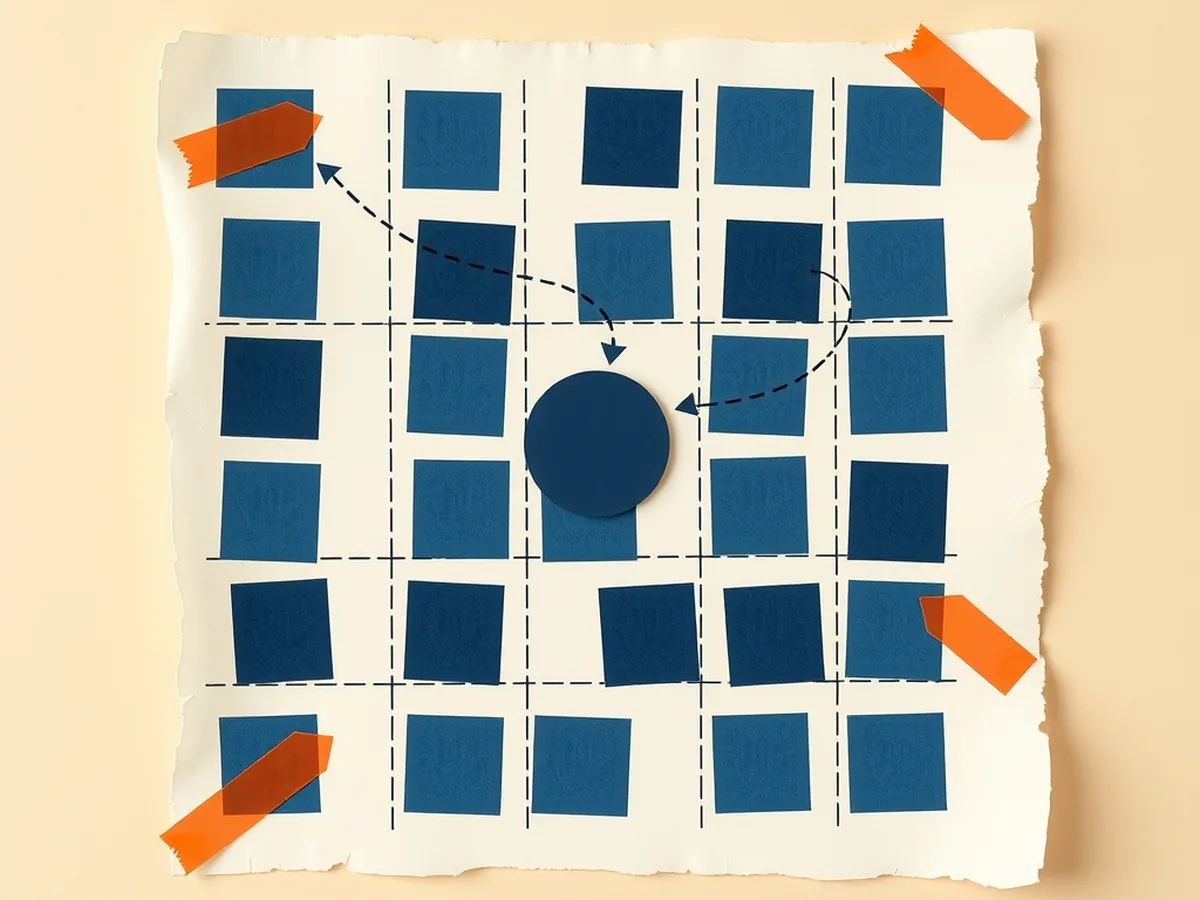
This activity needs no phones, no laptops, and no school-issued devices. It runs in a standard classroom in 45 minutes. One student is the “robot”; the rest are sensors, obstacles, and debriefers.
What you need
- Masking tape (to mark a 4×4 or 5×5 grid on the floor, or use existing tile lines)
- Index cards labeled: WALL, OPEN, CORD, MIRROR, PET WASTE, SHOE
- A blindfold or the honor system (eyes closed)
Roles
| Role | Number of students | What they do |
|---|---|---|
| The Robot | 1 | Moves through the grid, receives sensor reports, tries to map and cover every square |
| LiDAR sensor | 2 | Stand at the grid’s edge; report “wall” or “open” in the direction the robot faces |
| Camera/Vision model | 1-2 | Hold obstacle cards; when the robot enters a square with a card, read the label aloud |
| Map recorder | 1 | Draws the grid on a whiteboard or paper in real time; marks squares as “cleaned” when the robot covers them |
| Human reviewer | 1 | Steps in when sensor signals conflict; makes the call the robot cannot |
Minute-by-minute pacing
| Time | What happens |
|---|---|
| 0-5 min | Hook: ask students where a robot vacuum’s map comes from. Take 3-4 guesses. Hold the answer. |
| 5-10 min | Assign roles; explain the signal protocol: LiDAR calls direction + distance, Camera calls object type only if there is a card in the square |
| 10-20 min | Round 1 — clean grid, no obstacles. Robot moves systematically (rows), LiDAR reports, map recorder fills in squares. Debrief: how many squares covered? Was the path systematic or random? |
| 20-30 min | Round 2 — add CORD and SHOE cards to two squares. Camera reads cards. Robot decides: stop? reroute? try to pass? Debrief: what did the vision model need to do that the LiDAR could not? |
| 30-38 min | Round 3 (the twist) — add a MIRROR card. When the robot faces the mirror square, LiDAR reports “open.” Camera reports nothing (no object card to read — the mirror is empty space). Robot advances. Human reviewer has to intervene. Debrief: why did the sensors disagree? What did the robot “believe” that was not true? |
| 38-45 min | Full debrief (see questions below) |
Debrief questions
- What was the difference between what the LiDAR knew and what the camera knew?
- Why did the CORD square cause a problem in Round 2? What would have helped?
- In Round 3, the robot had “confident wrong information.” Where does that happen in real AI systems?
- If you were designing the privacy settings for this robot, what data would you let it keep? What would you delete after each clean?
A typical class finishes all three rounds in 35-40 minutes. The debrief is where the learning consolidates — do not skip it for time.
Standards crosswalk
| Activity step | Standard code | What students demonstrate |
|---|---|---|
| Round 1 — systematic mapping vs. random walk | AI4K12 Big Idea #1 (Perception) | Describe how an AI system builds a representation of its environment through sensors |
| Round 2 — cord + shoe obstacle recognition | AI4K12 Big Idea #3 (Learning) | Explain how training data shapes what an AI system can and cannot recognize |
| Round 3 — mirror phantom-room debrief | ISTE 1.3.b | Evaluate the accuracy and limitations of AI-generated information |
| Round 3 — human reviewer role | ISTE 1.3.d | Explore real-world issues (when should a human override an AI decision?) through active investigation |
| Privacy debrief question | ISTE 1.2.b | Discuss how floor-map data collection raises digital citizenship questions |
| Full debrief — structured peer discussion | CCSS.ELA-LITERACY.SL.7.1 | Engage effectively in collaborative discussion with preparation and evidence |
| Privacy debrief — citing the iRobot/Scale AI case | CCSS.ELA-LITERACY.W.7.8 | Gather relevant information from credible sources; assess accuracy |
Standards source: ISTE Student Standards. ISTE is a registered trademark of the International Society for Technology in Education. These resources are not affiliated with or endorsed by ISTE.
For the full set of unplugged AI lessons built on this same format — roles, rounds, a twist, and a standards-mapped debrief — the Unplugged AI Activities — 10 No-Tech Lessons, Card Sort, Role Play has ten activities ready for grades 6-8. The How AI Works MEGA bundle — 16 Machine Learning and AI Concept Lessons for Grades 6-12 situates this vacuum lesson inside a full perception-to-societal-impact arc across sixteen topics.
How this connects to the “how X uses AI” series
The robot vacuum sits in an interesting spot in this series. The how AI navigation apps predict traffic post covers outdoor mapping using crowd-sourced phone speed data — a city-scale problem where the map is pre-existing and the AI updates it. The vacuum is the indoor inverse: no map exists at the start, the environment is private rather than public, and the system is building everything from scratch in real time.
That contrast — outdoor crowd-sourced vs. indoor private-from-scratch — is worth putting on the board if you are teaching both lessons in the same unit. It shows students that “navigation AI” is not one thing; it is a family of different approaches shaped by what data is available and what constraints the environment creates.
The how self-checkout uses AI post is the companion for the obstacle-recognition thread: the same kind of computer vision that identifies a shoe on the floor is the system that identifies a mango at a kiosk. The mechanism is the same; the context is completely different. That is a useful abstraction for 7th and 8th graders to land on — the underlying AI technique is portable across contexts, even when the surface looks nothing alike.
For a deep dive into the AI types underlying both — narrow AI, perception models, and supervised learning — the Types of AI Deep-Dive Lesson — Narrow vs. General vs. Super AI gives students the vocabulary to describe why a vacuum’s vision model and a kiosk’s vision model are both narrow AI, even when they do different things.
The SLAM chicken-and-egg paradox, the failure modes, and the privacy incident are all available in every home that owns one of these devices. The lesson requires no setup beyond masking tape and index cards. When you introduce this to a group that has never had a structured AI literacy curriculum, the question that lands first is usually the one the student asked watching the vacuum: is that thing actually smart? The answer — sometimes, in specific ways, and it fails in predictable ways you can teach — is exactly what AI literacy is for. That gap was never your fault; it is just one nobody handed you the tools to close until now.
This post was drafted with AI assistance and human-finalized.
Quick questions
A robot vacuum uses AI in three layers. It builds a map of your home with SLAM (Simultaneous Localization and Mapping), solving the puzzle of needing a map to navigate but needing to navigate to build the map. It then plans a systematic back-and-forth path instead of bouncing randomly. Finally, a camera-trained neural network recognizes floor objects like cords, pet waste, and shoes, and steers around them.
A thin cord lying flat may sit only 2 to 3 mm off the floor, below the resolution of many depth sensors, and dark cords absorb a LiDAR laser rather than reflecting it, so the sensor reads 'floor' where a cord exists. The object-recognition model was also trained on images of distinct common objects, so a flat dark cable is a pattern it has not seen enough of to classify confidently.
Get the free AI-Proof Assignment Toolkit
10 ways to redesign any assignment so an AI chatbot structurally can't do it — plus a redesign worksheet, a 45-minute lesson, the “Spot AI Work” card, and parent templates. One email, all 5 pieces.
Prefer the full breakdown? See everything inside the toolkit →